
1. Introduction
This manual covers the full Hydrogen Machines range and consolidates the universal guidance that applies to every hydrogen device we sell — safe setup, operation, maintenance, storage, troubleshooting, and warranty. Model-specific figures (tank capacity, flow rate, power draw, dimensions) are read directly from our live product catalogue in section 4 and cannot drift from the figures shown on each product page. For anything not covered here, or for support with a specific unit, please contact us via the contact page.
2. Before your machine arrives
Getting your water sorted before your machine turns up means you can use it the moment it's out of the box — no delay, no last-minute trip to the shops.
What water you need
Most machines in our range require distilled or deionised water at TDS < 5 ppm. HERO Bath has a more tolerant requirement of TDS < 30 — check your model's row in the reference table below for its exact spec. In all cases, ordinary tap, filtered, or mineral water will cause scale buildup on the internal electrode and can damage the unit, voiding your warranty.
If your model has a separate drinking-water tank (in addition to the hydrogen-production tank), that tank is more relaxed — RO, filtered, or cool boiled water is fine, since it isn't used for hydrogen production. Check your model's row in the reference table below to confirm whether it has one tank or two.
How much water you'll actually use
Electrolysis uses very little water — as a rule of thumb, a machine uses about 45 mL of water for every hour of use at 1,000 ml/min flow (roughly a tenth of a glass). At a typical 30-minute daily session, even our highest-flow model uses only around 2 litres a month. A single bottle of distilled water will last most users several weeks, regardless of which model you own.
| Model / tier | Flow rate | Water used per hour |
|---|---|---|
| HERO Inhaler Go (low) / HERO Dual 20-1000 / HERO RO Dual 10-660 | 660 ml/min | ~30 mL |
| HERO Inhaler Go (high) / HERO Dual 20-1500 / HERO RO Dual 10-1000 | 1,000 ml/min | ~45 mL |
| HERO Inhaler 900 | 900 ml/min | ~40 mL |
| HERO Inhaler 1200 | 1,200 ml/min | ~54 mL |
| HERO Inhaler 2000 / HERO Dual 20-2100 / HERO RO Dual 10-1400 | 1,400–1,800 ml/min | ~63–81 mL |
| HERO Inhaler Pro 3000 | 3,000 ml/min | ~135 mL |
Applies to the inhaler/generator models (HERO Inhaler Go, HERO Inhaler & HERO Inhaler Pro range, HERO RO Dual 10, HERO Dual 20 inhalation). HERO Bath circulates and treats bath water directly rather than consuming from a separate reservoir, so it isn't listed here.
Where to buy it
Distilled water is inexpensive and widely available — no need to order anything special or wait for delivery:
- Supermarkets — usually sold for ironing, near the laundry aisle
- Auto accessory stores — sold as distilled water for 12 V car batteries
- Hardware stores
- Pharmacies — sold as distilled water
- Some servos / petrol stations
A few litres is enough to get started — enough for your first several sessions while you settle into a refill routine.
If your machine arrives in cold weather
If your order arrives during cold weather, or has been in transit through a cold climate, let it sit at room temperature for a few hours before first use. Cold shipping can cause residual moisture in the internal water lines to partially freeze; running the unit before it's acclimated can risk damaging internal components. This is a simple precaution, not a fault — once warmed to room temperature, your machine is ready to use as normal.
3. Important information before use
Read every point in this section before switching the unit on for the first time.
- Use the correct water only. All machines require soft water (distilled or deionised, resistivity greater than 2 MΩ·cm, TDS < 5 unless the per-model table below specifies otherwise). Tap water will scale the PEM stack, reduce hydrogen output, and shorten the life of the electrolysis cell — this is the single most common cause of warranty issues. Full guidance: what water should you use? →
- Match the voltage. Use only the power cord and voltage specified for your model. Do not use adaptors, converters or extension leads that alter the supplied voltage.
- No open flame, no smoking near the unit. The output stream is hydrogen. Keep the device away from open flame, cigarettes, gas hobs, and any direct heat source.
- Never block or obstruct the air outlets. Place the unit on a stable, flat surface with adequate clearance on every side. Blocked vents can damage the machine.
- Do not let the unit leak. If you notice water pooling around the base, switch off at the panel, unplug from the wall, and contact support before further use.
- Drain and replace water when the TDS indicator shows red. This means the water no longer meets purity requirements and must be swapped promptly — see section 5.
- Never let the tank run dry for extended periods. Running the stack with insufficient water can damage internal components.
- Standby vs full shutdown. Switching off at the front panel places the unit in standby. For extended periods of non-use, cleaning, transport, or before draining the tank, always fully unplug from the wall socket.
- Do not open, modify, or repair the unit yourself. There are no user-serviceable parts inside. Any unauthorised opening voids the warranty.
- Stop use immediately if you notice any unusual odour, sound, or overheating. Switch off, unplug, and contact support.
4. Operating principle
Your hydrogen device uses electrolysis to split water molecules into hydrogen and oxygen gas. Pure or distilled water is passed through an internal electrolysis cell, producing a hydrogen-rich gas stream (or hydrogen-rich water, on dual-mode models) at a controlled flow rate. Purity levels above 99.991% are standard across the range. Because this process relies on precise water chemistry, using anything other than the recommended water type can affect performance and, over time, damage the internal cell — this is why water quality requirements are strict and model-specific.
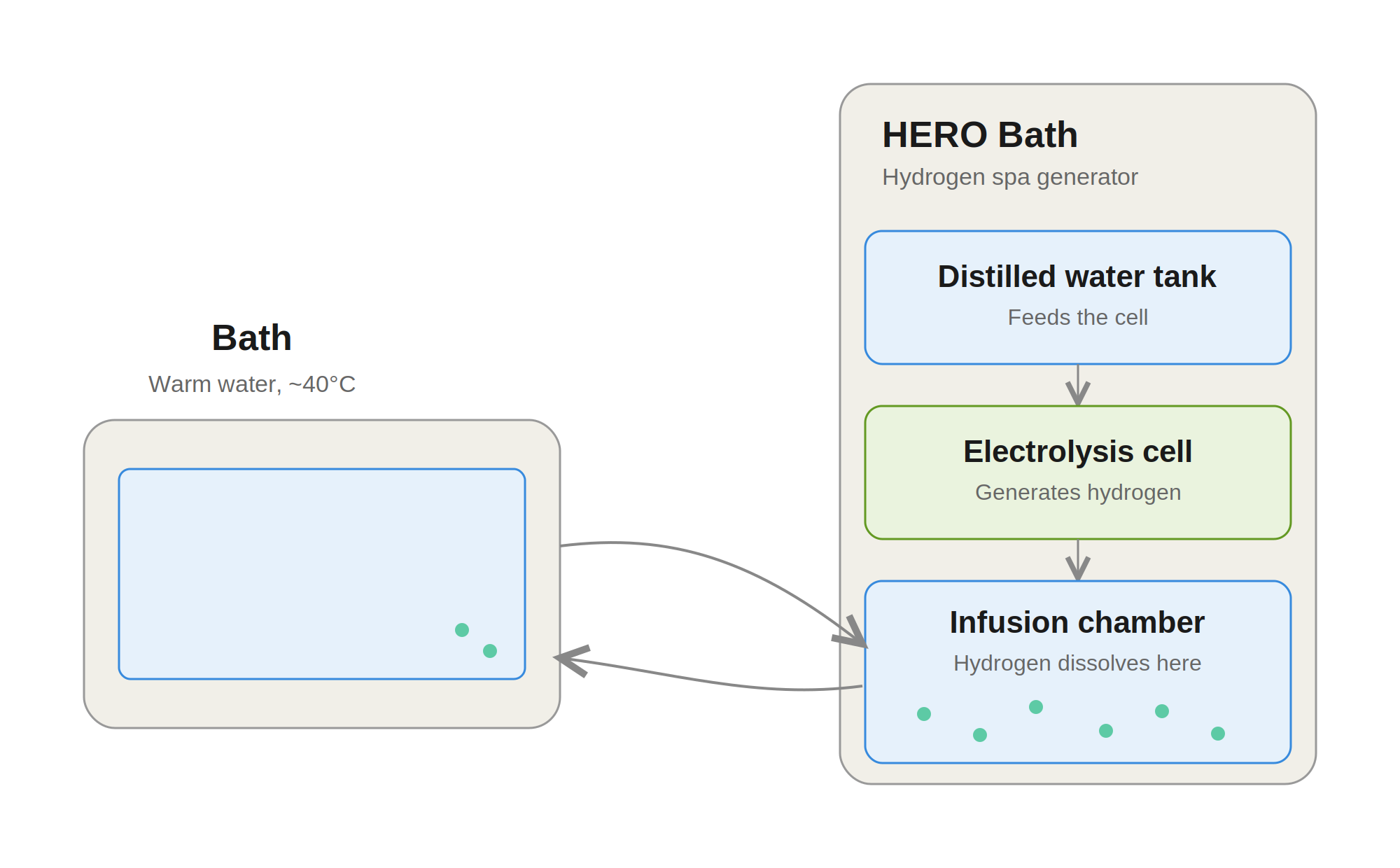
HERO Bath circulation system
The HERO Bath system is the exception to the single-tank inhaler pattern above. It uses a closed-loop design: bath water is drawn into the machine through one hose while a separate internal distilled-water tank feeds the electrolysis cell, and the resulting hydrogen is infused into the circulating bath water before it returns through a second hose. The inhaler models do not circulate bath water — they generate gas from a single internal tank and deliver it directly through the cannula or mask.
5. Per-model quick reference
Live figures for every current unit in the range. Data reads directly from our product catalogue — if you spot a discrepancy against the individual product page, the product page is the source of truth and this table will refresh from it automatically.
| Product image | Model | Tank capacity | H₂ flow rate | Rated power | Hydrogen purity | Water requirements | Warranty | Dimensions |
|---|---|---|---|---|---|---|---|---|
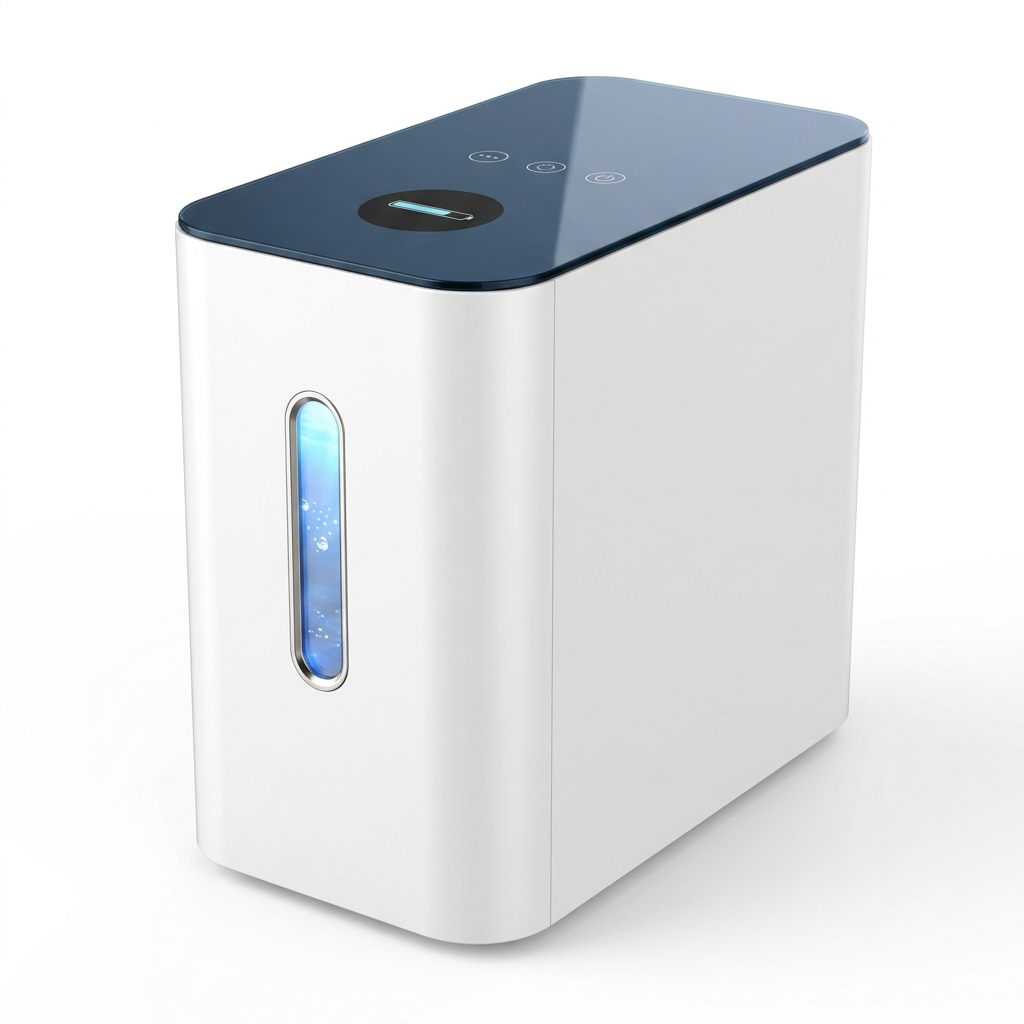 | HERO Inhaler Go 1000 | See model manual | Pure H₂ Flow (H₂-only mode): 660 ml/min | 245 W | 99.992% | Purified water / Distilled water, TDS < 5 | 24-month manufacturer warranty | 24 × 26 × 46 cm |
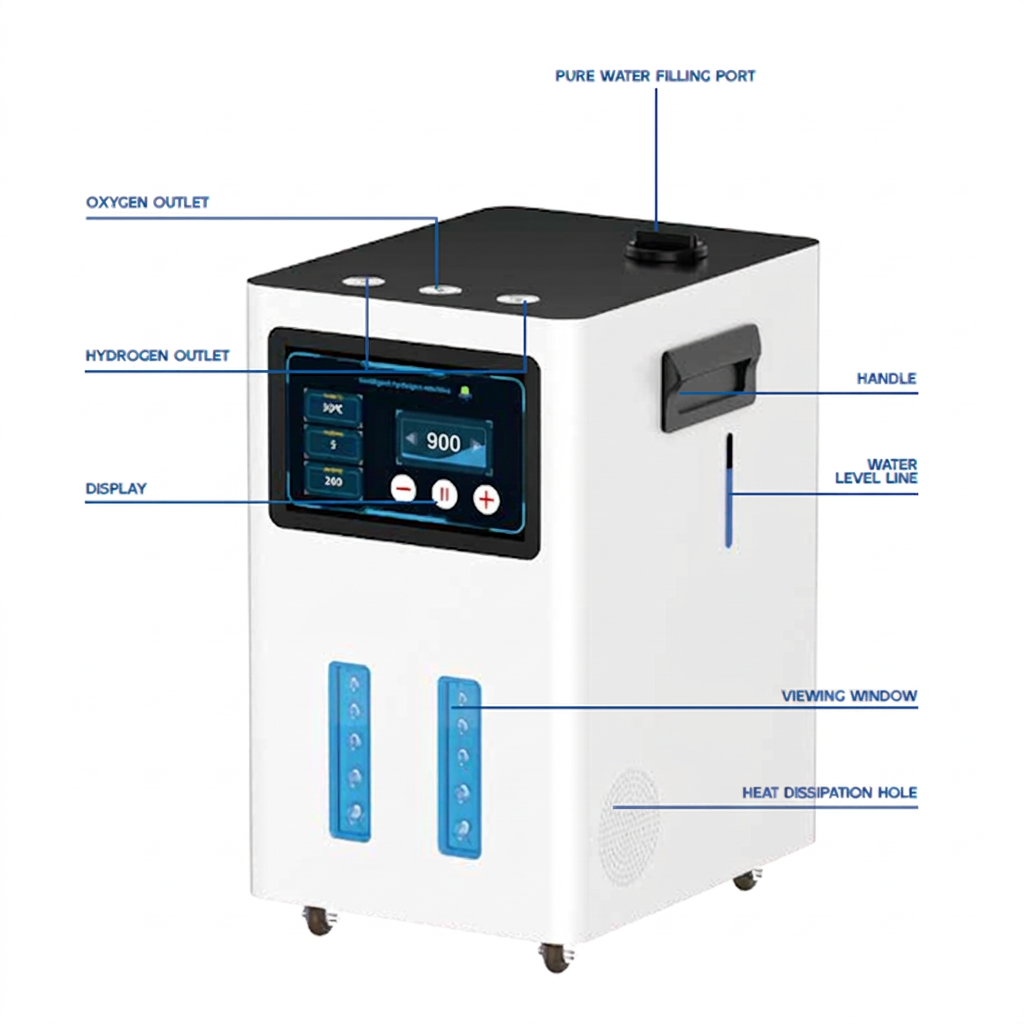 | HERO Inhaler 900 | 3.0 L | Pure H₂ Flow (H₂-only mode): 600 ml/min | 300 W | 99.991% | Purified water / Distilled water, TDS < 5 | 24-month manufacturer warranty | 26 × 34 × 42 cm |
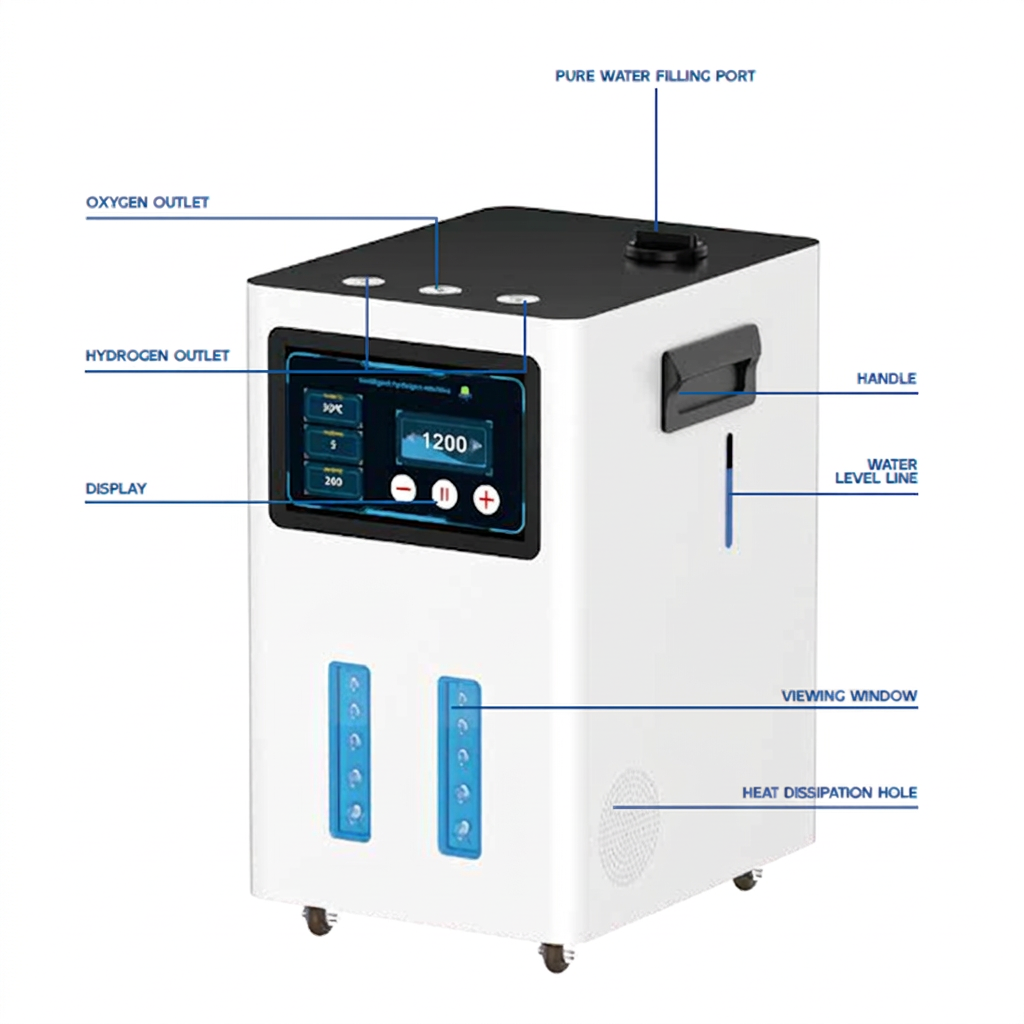 | HERO Inhaler 1200 | 3.0 L | Pure H₂ Flow (H₂-only mode): 800 ml/min | 380 W | 99.991% | Purified water / Distilled water, TDS < 5 | 24-month manufacturer warranty | 26 × 34 × 42 cm |
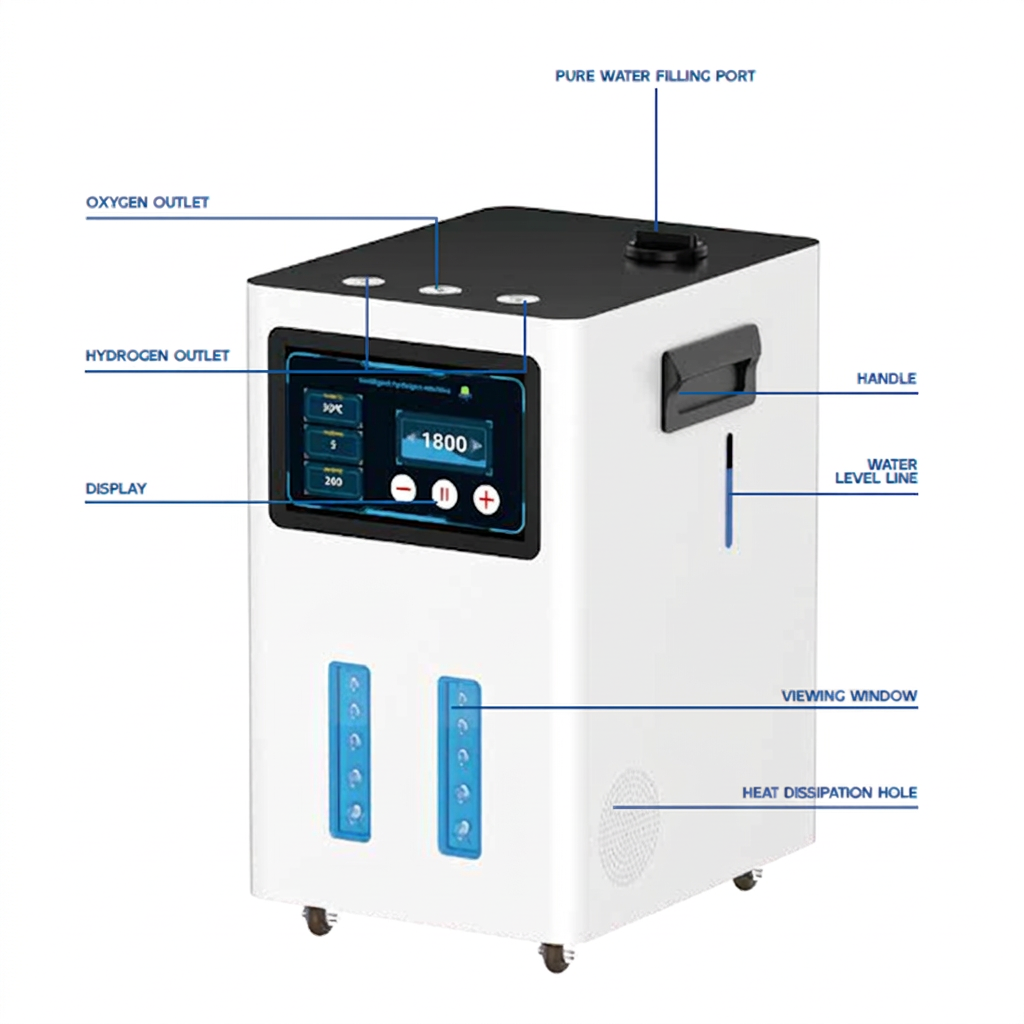 | HERO Inhaler 2000 | 3.0 L | Pure H₂ Flow (H₂-only mode): 1333 ml/min | 530 W | 99.991% | Purified water / Distilled water, TDS < 5 | 24-month manufacturer warranty | 26 × 34 × 42 cm |
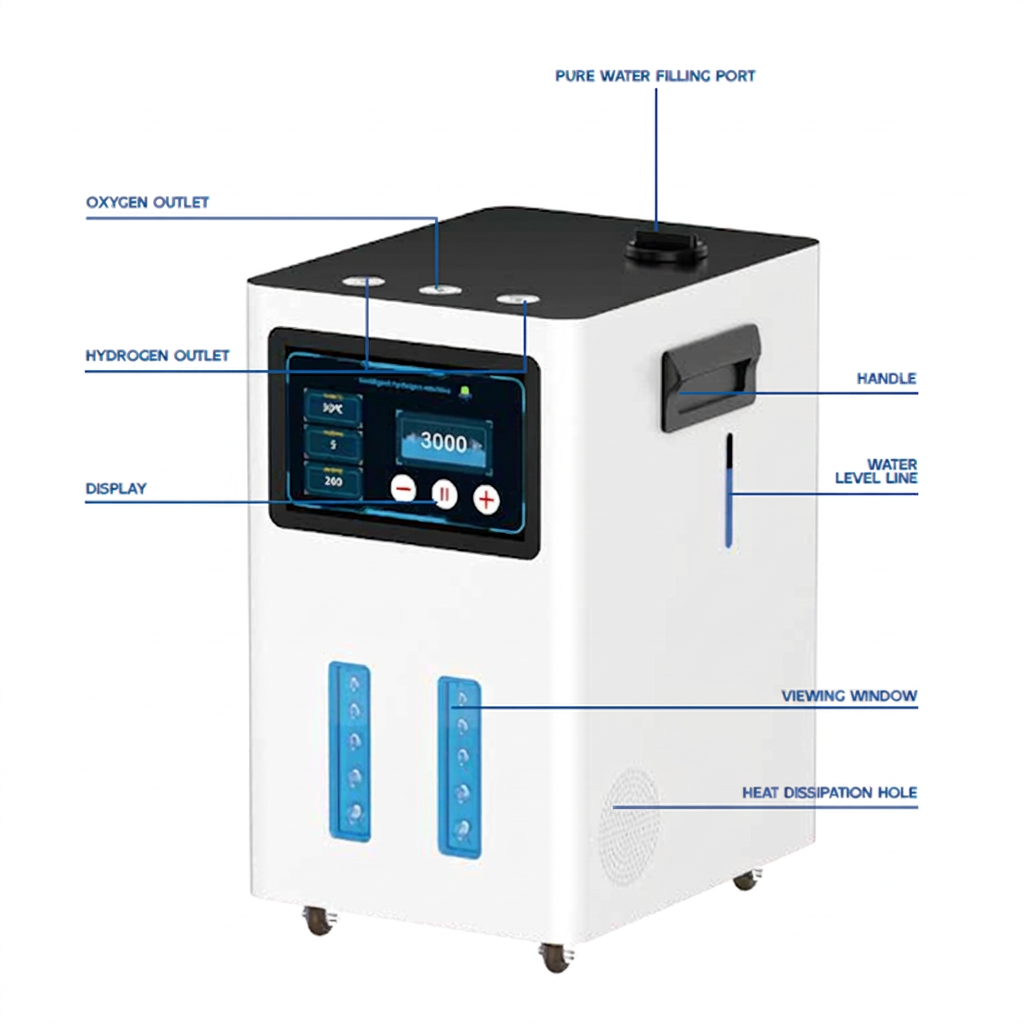 | HERO Inhaler Pro 3000 | 3.0 L | Pure H₂ Flow (H₂-only mode): 2000 ml/min | 880 W | 99.991% | Purified water / Distilled water, TDS < 5 | 24-month manufacturer warranty | 26 × 34 × 42 cm |
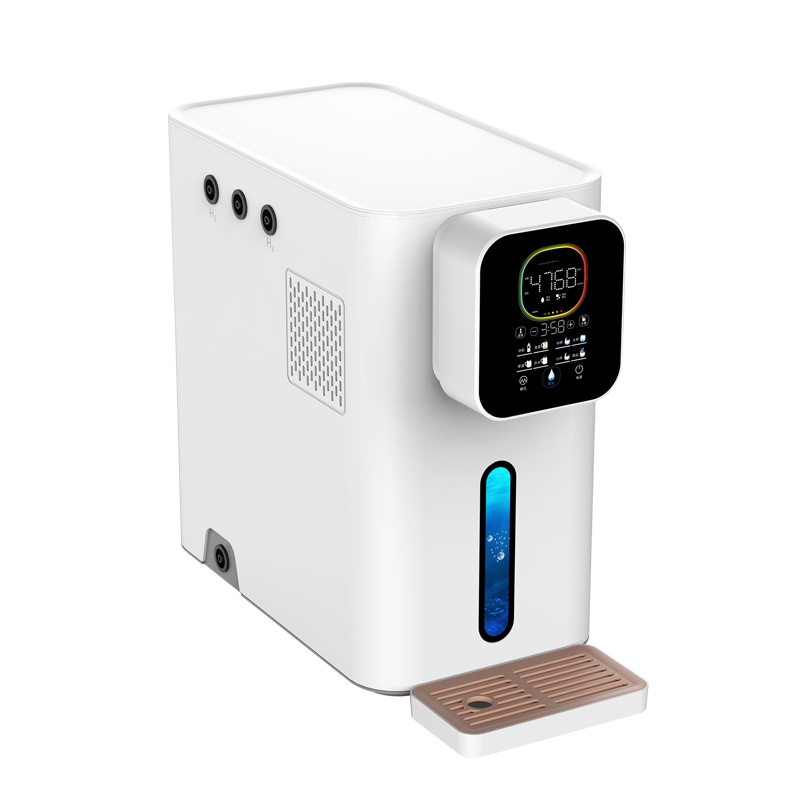 | HERO RO Dual 10 | 3 L | Dissolved H₂: 2,000–3,000 ppb | 220 W | Dissolved H₂: 2,000–3,000 ppb | Inhaler tank: Purified/Distilled water, TDS < 5. Drinking tank: RO/filtered/cool boiled water | 24-month manufacturer warranty | 30 × 50 × 53 cm |
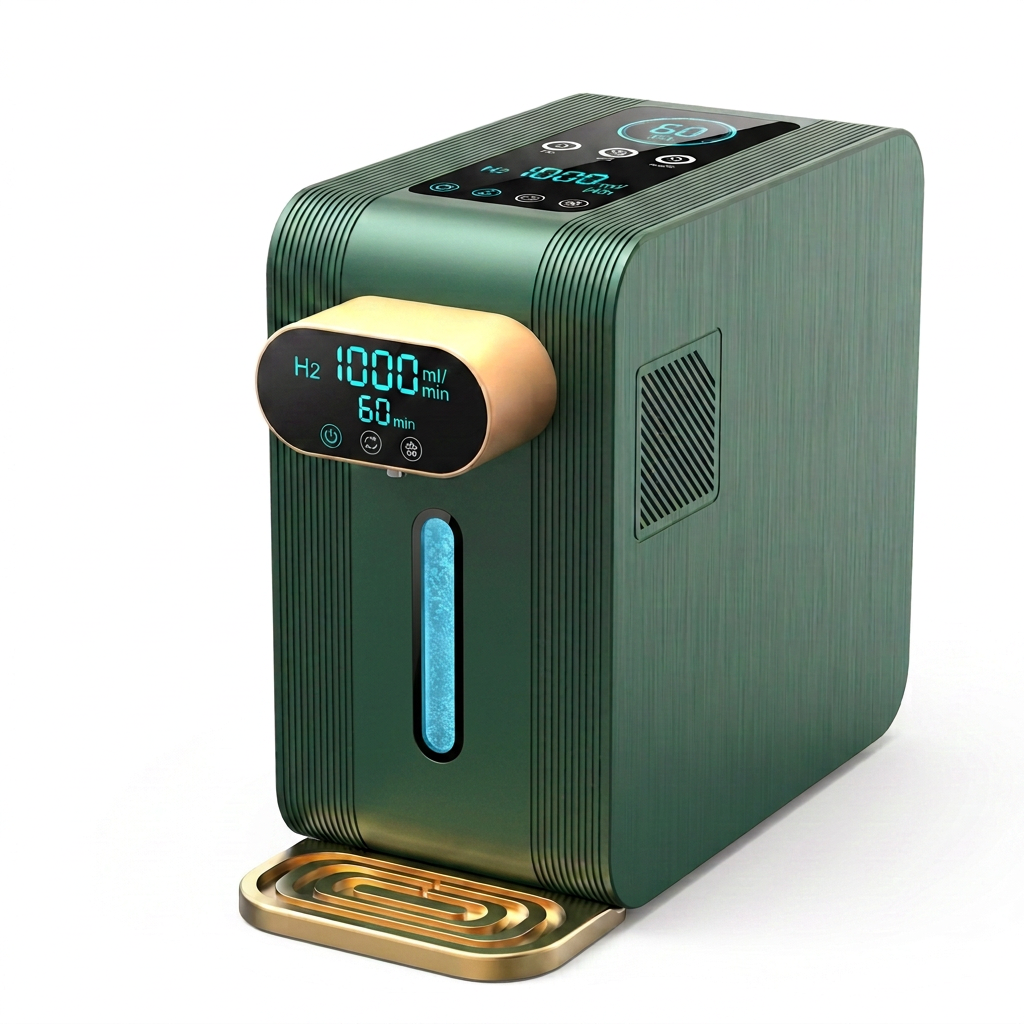 | HERO Dual 20 | 3 L | Pure H₂ Flow (H₂-only mode): 667 / 1000 / 1333 ml/min (selectable) | 220 W | ≥99.992% (inhalation) | Inhaler tank: Purified/Distilled water, TDS < 5. Drinking tank: RO/filtered/cool boiled water | 24-month manufacturer warranty | 30 × 50 × 53 cm |
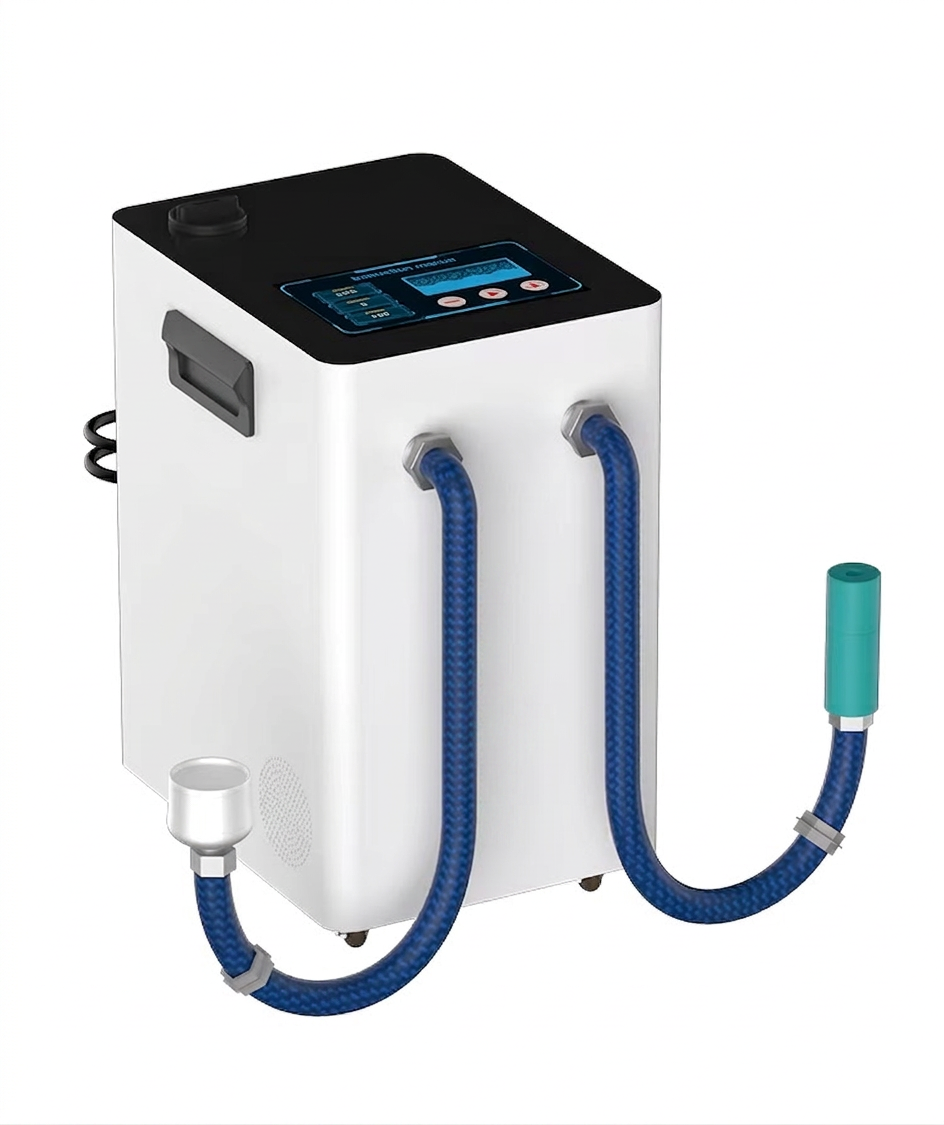 | HERO Bath Hydrogen Nano-bubble System | 3 L | >2,000 ppb dissolved hydrogen (hydrogenated water at 3,750 ml/min) | See model manual | 99.991% | Distilled water recommended, TDS < 30 | 24-month manufacturer warranty | 260 × 340 × 420 mm |
"See model manual" indicates a field not yet reconciled in the catalogue for that unit — consult the individual product manual for that value.
6. Operating instructions
These on-screen alerts are common across the hydrogen machine range. The touchscreen panel pictured is representative of the TD-series display; other models use a different physical panel but follow the same underlying logic.
What it means: The water in the tank isn't pure enough — it may contain minerals, salt, or other impurities.
What to do: Drain the tank fully, then refill with fresh purified or distilled water. It's best to rinse and refill 2–3 times until the water runs clean before restarting the unit.
What it means: The session timer is set to zero, so there's no run time scheduled.
What to do: Increase the timer setting before pressing start.
What it means: The internal temperature has reached its upper limit (around 60°C).
What to do: Switch off and let the unit cool down for a while before continuing. Refreshing the water in the tank can also help.
What it means: The unit can't get a reading from the water-quality (TDS) sensor — usually due to a blockage, occasionally a sensor fault.
What to do: Drain and refill the tank once or twice, then restart. If the message continues to appear, the sensor itself may need attention — contact support.
What it means: The tank has dropped below the safe minimum.
What to do: Refill with purified or distilled water.
What it means: The tank has been overfilled past the maximum line.
What to do: Drain a small amount from the rear drain outlet until the level is back in range.
7. Inhalation configurations
These inhalation configurations apply across the hydrogen machine range, depending on how many people are using the unit and which gas mode is selected.
Click to enlarge
8. Maintenance
- Drain and replace the water in the tank whenever the TDS (water quality) indicator shows red — this means the water no longer meets the required purity and should be swapped out promptly.
- Before draining, always switch off the unit at the panel and unplug it from the power socket first.
- It's normal for water to appear milky or cloudy during hydrogen production — this clears on its own after a short period and is a sign the unit is working correctly.
- If the machine will be unused for an extended period, keep water in the tank rather than draining it completely. The internal hydrogen-generating cell needs to stay hydrated to perform well and last — letting it dry out for weeks or months can reduce performance and shorten its lifespan. If you do need to empty the tank (for example, before shipping or moving the unit), aim to refill and use it again reasonably soon after.
- Never let an external drinking water source (where applicable) run dry for long periods, as this can damage the unit.
- Keep all air outlets clear and unobstructed at all times.
Periodic descaling
Even with correctly purified or distilled water, trace mineral scaling can gradually build up on the internal PEM cell over extended use. Left unaddressed, this can reduce hydrogen output and shorten the life of the electrolysis stack.
To prevent this, periodically purge the unit with a diluted white vinegar and water solution — mixed 1:1 — left to sit for 30–60 minutes, then thoroughly flush the tank and lines with fresh distilled water before resuming normal use. We recommend this every 4–6 weeks with regular use, or sooner if you notice a drop in hydrogen output or bubble activity. Always switch off and unplug the unit before performing this procedure, per section 3, point 8.
If water spills onto electronic components
If any water splashes or spills onto the display, buttons, or other electronic parts of the unit, unplug the machine first, then dry the affected area with a hair dryer on a cool or low-heat setting, holding it at a short distance to avoid overheating any components. Make sure everything is completely dry before switching the machine back on.
9. Storage
Store the unit upright in a cool, dry location, away from direct sunlight and any heat source. Never store or ship the unit with an overfilled tank, as water can spill into the electronics enclosure.
Keep the cell hydrated during storage
If you're not using your machine for a while, leave water in the tank rather than emptying it — the internal electrolysis cell relies on staying wet to work properly, and drying out over an extended period can affect performance and service life. This is different from preparing the unit for transport or shipping, where draining the main tank first is the right move to prevent spills; the distinction is short-term (drain before moving it) versus long-term storage (keep it wet while it sits).
10. Warning messages & troubleshooting
Water won't dispense
Check whether the unit is currently in inhaler mode — the water outlet button is disabled while in this mode. Switch to water / drinking mode and try again.
Water looks milky or cloudy
This is normal during hydrogen production and indicates the water is hydrogen-rich. It will return to clear within a short period after use.
TDS indicator shows red
The water in the tank no longer meets purity requirements. Switch off the unit, drain the tank, and refill with fresh purified or distilled water (see section 2, point 1 and the water-quality guide).
Machine won't restart after switching off
Some models retain residual power in the panel for a few seconds after switching off — wait at least 5 seconds before attempting to switch back on, as restarting too quickly can cause damage.
Reduced hydrogen / bubble output in water mode
A gradual decrease in gas bubbles visible in the see-through window during hydrogen-rich water mode is expected behaviour, not a fault.
11. Warranty & support
Every machine in the range ships with a 24-month manufacturer warranty, direct from the manufacturer. Full coverage, exclusions and claim process are on the dedicated warranty page: see the full warranty terms →. For any support enquiry not covered above, please use the contact page.
Buying HERO Bath units for a spa, clinic, or recovery studio? See our Trade Program for wholesale pricing →
Hydrogen Machines Range — Product Manual — Rev. 2 (July 2026)
Models covered: HERO Inhaler Go · HERO Inhaler 900 · HERO Inhaler 1200 · HERO Inhaler 2000 · HERO Inhaler Pro 3000 · HERO RO Dual 10 · HERO Dual 20 · HERO Bath
© 2026 YBG Group International Pty Ltd. All rights reserved.